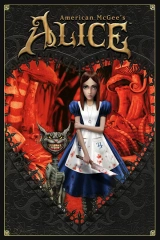

American McGee's Alice HD
Мод для American McGee's Alice (2000) | Категория: Визуал и графика
Автор: OmriKoresh | Куратор:  Modbadger
Мод для American McGee's Alice (2000) | Категория: Визуал и графика
Автор: OmriKoresh | Куратор: Modbadger
American McGee's Alice HD - мод для American McGee’s Alice 2000 года выпуска, который добавляет в игру текстуры высокого разрешения, новый интерфейс, Reshade, обновленные меню и режим Overkill с большим количеством врагов.


Локализации:

Локализации:
Мод локализован на 1 язык
(Вам не нужно ничего скачивать дополнительно, чтобы играть на этих языках)
Разрешение большинства текстур увеличено в 4 раза, но из-за ограничений движка некоторые текстуры были увеличены только в 2 раза. Что не подверглось изменению: модели, карты, игровой процесс (кроме Overkill).
Как установить мод American McGee's Alice HD
Переместите содержимое архива за исключением файлов Alice 2021 Reshade and Audio files.zip и Alice intro Simple menu.zip в корневой каталог игры
Переместите содержимое архива Alice 2021 Reshade and Audio files в папку Base игры, чтобы активировать Reshade
Зайдите в папку Base и удалите из неё файл pak1_large.pk3, иначе новые текстуры не будут использоваться
(Необязательно) Чтобы установить другие языковые пакеты, удалите файл zzpak6_mod.pk3 и замените его своим языковым пакетом. Поддерживаются немецкий, испанский и французский языки. Однако поскольку автор потерял PSD главного меню, оно останется на английском языке.
(Необязательно) Удалите файл z(Mod)OverKill.pk3 из папки Base, если вы не хотите, чтобы в игре был активирован режим OverKill (добавляет в игру больше моделей и врагов).
Играйте!
Важно. Изменение любых настроек в игре приводит к сбросу всех настроек мода до значений по умолчанию, если это случится, вы должны будете переместить файлы мода autoexec.cfg и config.cfg обратно в корневой каталог игры с заменой. Чтобы этого не случилось, после внесения изменений в autoexec.cfg и config.cfg, установите настройки доя этих файлов "только для чтения".
Если хотите играть в 2К разрешении или 4К в файле autoexec.cfg измените значения параметров ниже (для примера):
seta r_customwidth "3840"
seta r_customheight "2160"
seta r_mode "-1"
Если вам не нравятся тени, измените в настройках seta cg_shadows на "1". Разработчик отдает предпочтение варианту 3, хотя он и не идеален, но он считает, что они все равно выглядит
лучше, чем оригинал.