
Median XL
Mod for Diablo II (2000) | Category: Total overhauls
Author: Median XL Team | Curator:  Modbadger
Mod for Diablo II (2000) | Category: Total overhauls
Author: Median XL Team | Curator: Modbadger
Median XL is the largest modification for Diablo II, enhancing the original gameplay with thousands of new items, unique skills for all classes, and advanced endgame content. It also features extensive engine improvements and deep character customization.


Localizations:

Localizations:
The mod is localized into 1 language
(You don’t need to download anything extra to play in these languages)
Key Features
Dynamic Gameplay The game’s pace is dramatically heightened — forget basic attacks. Nearly every class has powerful AoE skills, and the sheer number of visual effects on screen is astonishing.
Reworked Skills Every class has redesigned skills. A poorly built character can easily get stuck by Act III or IV.
Rebalanced Items All item stats have been overhauled. For example, an Amazon by the end of Act II can wield a bow with 60–100 damage, resulting in ~400–700 output.
Adjusted Enemy Placement Monster locations have been refined, and many new enemies were added to existing areas.
Increased Challenge Monsters have become tougher despite powerful gear. From Act III onward, many gain full elemental resistances.
“Uber” Zones High-level players can venture into special challenge areas for advanced gameplay.
Enhanced Bosses Major bosses have been made significantly harder.
Improved AI Enemy behavior and logic have been refined for smarter combat interactions.
Updated Skills
Each class in Median XL has 8 unique skill trees featuring entirely new mechanics. Try builds like a melee Sorceress, a Blood Amazon, and many more — creativity has no limits.
New Items
In ARPGs, the right item combination is everything. Median XL introduces thousands of brand-new items earned through farming, boss fights, or crafting. The variety is so immense you can build a character around item-based or progression-based skills alone.
Endgame
Forget recycled enemies — Median XL’s endgame offers 50+ completely unique challenges, including deadly bosses, secret locations, and unexplored realms.
New Zones
Median XL adds dozens of new areas faithful to Diablo’s lore — Heaven, the realms of Hell, the town of Caldeum, and fallen cities like Duncraig, Viz-jun, and Toraja. In the Assault on Mount Arreat dungeon, you play as Diablo, traveling back in time to defeat the Bear Tribe and reach the Worldstone Chamber.
Crafting System
The crafting system gives you full control over gear customization. Use Mystic Orbs to apply limited stat bonuses to equipment slots — available from vendors. Rare drop-only versions offer immense power, while shrine crafting allows you to forge one-of-a-kind gear with personalized stats.
Quality of Life Improvements
Median XL modernizes the Diablo II engine with many features found in modern games:
Higher resolution & expanded field of view
Supports D2DX (60 fps) and cnc-ddraw modes
Updated graphical UI
Auto-pickup for gold and waypoints
Dozens of hotkeys
Removal of corpses and immunities
Individual skill cooldowns
Increased inventory, stash, and cube space
Revamped gambling system
And much more
Online Play & Events
Play with friends on our global gateway with servers across the Americas, Europe, and Asia. Take part in world events, themed ladder seasons, and community challenges held regularly.
How to install a mod Median XL
Download the Median XL launcher.
Install Diablo II: LoD version 1.13c or newer.
Launch the Median XL launcher, specify the path to the installed game, and click "Install". The launcher will automatically download and install the mod.
Start the game via the launcher — just click "Play" after installation.
Guide to Improving Graphics in Median XL
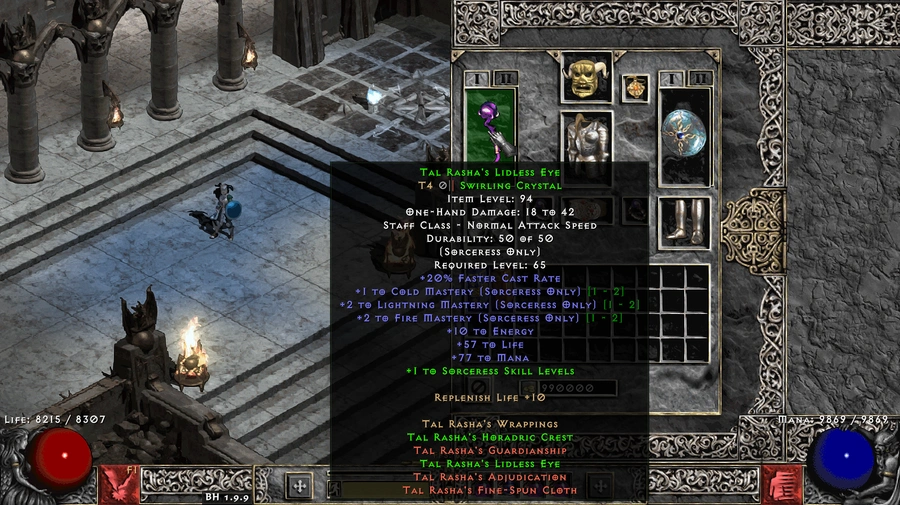
1. After installing the game, download the Diablo 2 LoD Glide/DDraw to OpenGL Wrapper (D2GL).
2. Open the launcher and click the settings icon (gear icon, next to the big red button)
3. Hover over the warning symbol next to "Unofficial Graphics Drivers", read and acknowledge this notice.
4. Check/Enable Glide3x.dll if you wish to use Glide as your rendering backend or Ddraw.dll for DDraw
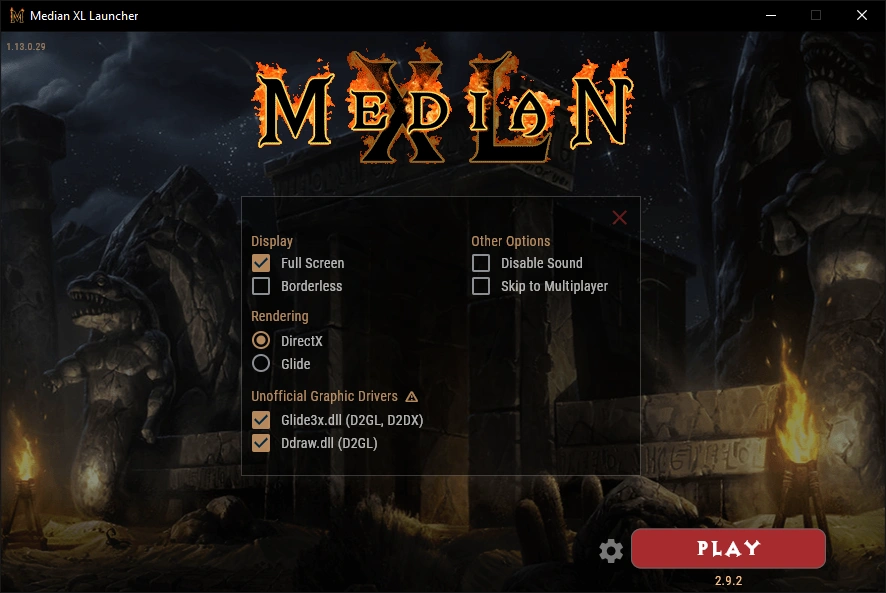
5. Close the launcher.
6. Also, extract the files from Release.zip into the folder containing the launcher.
7. Open the launcher and launch your game if everything is up to date.
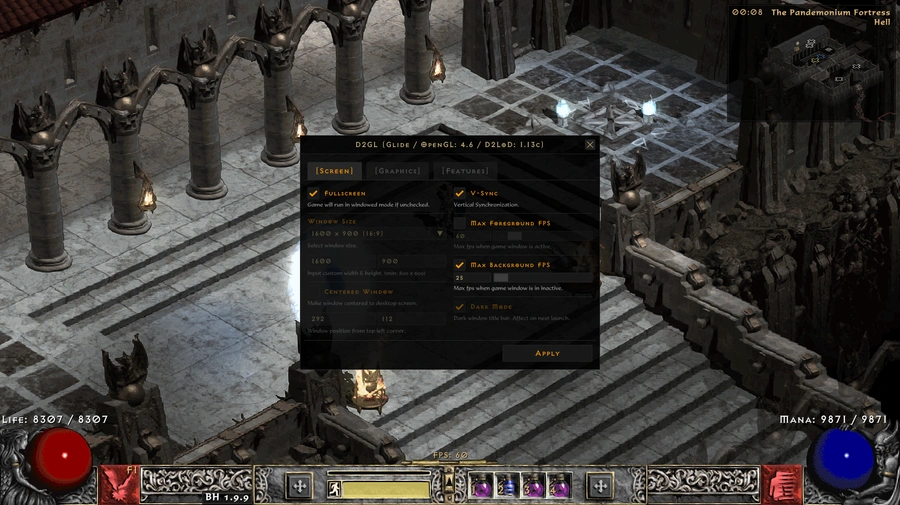
8. In-game, press Ctrl + O to open the settings menu. Here you can configure everything — from screen resolution and maximum FPS to image upscaling.
9. Play and enjoy!
References