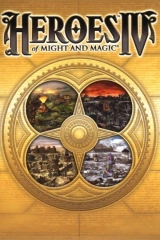

Heroes of Might and Magic IV – HD Resolution Mod
Mod for Heroes of Might and Magic III (1999) | Category: Visuals and graphics
Author: Verok | Curator:  Modbadger
Mod for Heroes of Might and Magic III (1999) | Category: Visuals and graphics
Author: Verok | Curator: Modbadger
HD Resolution Mod allows you to play Heroes of Might and Magic IV in various aspect ratios: 4:3, 16:9, 16:10, 21:9, 32:9. The mod is essential for comfortable gaming on modern monitors, as it allows you to select current screen resolutions.


Localizations:

Localizations:
Language Independent
The mod does not change the game's text, interface, or voice acting. It is compatible with all language versions.
HD Resolution Mod is based on HoMM I-IV GL Wrapper, but does not require it to be installed.
Configuration
To change the aspect ratio and select a suitable resolution, first switch the game to windowed mode — through the settings menu or by pressing the F4 key.
Then in the top menu of the window, open Mod -> Resolution Mod -> Aspect Ratio and select the desired mode.
After that, restart the game, go to the settings menu again and set the required resolution.
Supported modes and resolutions
4:3 (5:4)
800 x 600
1024 x 768
1280 x 1024
16:10
960 x 600
1280 x 800
1680 x 1050
16:9
1024 x 600
1366 x 768
1920 x 1080
21:9
2560 x 1080
32:9
3840 x 1080
How to install a mod Heroes of Might and Magic IV – HD Resolution Mod
Move the contents of the archive to the game's root directory
Launch heroes4.exe
Play!
On some systems, crashes may occur after installing the HD mod, and the AI may take too long thinking over its moves. To solve these problems, you should:
Launch Heroes 4 in windowed mode.
In the "Options" menu, disable "Cold CPU" and enable "Single Core"
Now you can return to fullscreen mode.