
 Modbadger


Installation Instructions mod Technology Revolution
Developers report that some antivirus programs may detect Syring.exe or .dll files as viruses, but they assure this is not the case. Therefore, these files should be added to the whitelist.
Extract the archive.
Move the following files from your RA2 Yuri's Revenge game folder into the mod folder:
gamemd.exe
BINKW32.dll
BLOWFISH.dll
ra2.mix
ra2md.mix
language.mix
langmd.mix
(Optional) Download and install patches if any are available
(Optional) Download and install the music pack, although the game can run without it
Run RunAres.bat
Play!
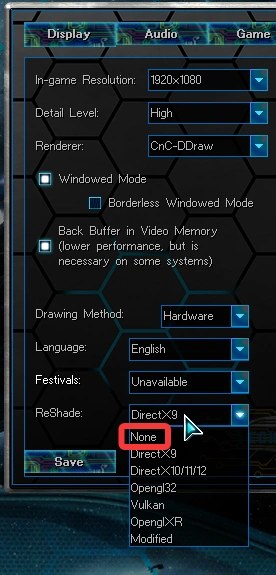
By default, the game has Reshade enabled to improve graphics quality. If your computer has low performance, simply disable it.