
MetaDoom
Mod for Doom II: Hell on Earth (1994) | Category: Gameplay
Author: Kinsie | Curator:  Modbadger
Mod for Doom II: Hell on Earth (1994) | Category: Gameplay
Author: Kinsie | Curator: Modbadger
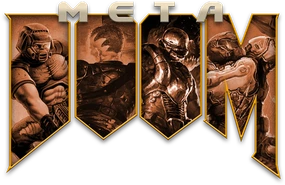
MetaDoom is a gameplay mod for GZDoom that combines elements from all parts of the Doom series into a single, insanely rich and dynamic mix. Weapons, enemies, and mechanics from the classic games, Doom 3, Doom 64, Doom (2016), Eternal, and even Doom RPG coexist and interweave with each other.


Localizations:

Localizations:
The mod is localized into 1 language
(You don’t need to download anything extra to play in these languages)
The main idea of MetaDoom is built not on the quantity of content, but on its reworking. Instead of simply adding all existing types of weapons, the developer creates hybrid samples that combine features from different games. Weapons here feel familiar but behave differently: old mechanics are enriched with modern functions, while new elements are carefully integrated into Doom's classic pace. Thanks to this, each weapon becomes not a copy, but a reinterpretation.
MetaDoom treats enemies just as inventively. Monsters from different parts of the series aren't simply gathered in one place, but adapted to a common combat system. Some opponents have received new behaviors, others combine features of several versions, while still others appear as unexpected guests from spin-offs. Random distribution of enemies and items makes each playthrough unique while maintaining the recognizability of the original Doom formula.
Combat in MetaDoom is built around aggression and movement. Mechanics encourage a risky playstyle where closing in on enemies and actively pushing forward is more beneficial than cautious shooting from a distance. At the same time, the mod doesn't directly copy modern Doom games but interprets their ideas within the framework of the classic engine.
The in-game encyclopedia deserves special attention, as it gradually collects information about everything the player encounters. It not only helps to understand new enemies and weapons but also adds a sense of completeness to the project, as if you're facing not just another mod, but a full-fledged alternative version of Doom.
MetaDoom is also focused on high replayability. Additional difficulty levels, including a permadeath mode, and hidden parameters make it interesting for both experienced players and those who want to test their skills. At the same time, the mod remains convenient for map creators, allowing them to either rely on randomization or place elements manually.
In the end, MetaDoom looks like an experiment that unexpectedly turned out successful: it doesn't break Doom but expands it, offering a fresh perspective on the familiar formula. This is not a replacement for the classic nor an alternative to modern installments, but an independent version of hell, assembled from all its incarnations at once.
How to install a mod MetaDoom
To run the mod, you will need the GZDoom engine and doom.wad, doom2.wad, or one of the FreeDoom IWADs
Make sure that doom.wad / doom2.wad or freedoom1.wad / freedoom2.wad is located in the GZDoom folder
Move the mod's .pk3 file to the GZDoom folder
Drag and drop the .pk3 file onto gzdoom.exe
Play!
You can also create a Launcher.bat. This is useful for launching more complex mod builds where the loading order of mods is important, or to launch the game via a shortcut.
How to create a launcher for running mods based on GZDoom
Create a text file in the GZDoom folder, you can name it Launcher. The text can look like this, depending on which files you're using:
gzdoom.exe -iwad freedoom2.wad -file "brutalv22test4.pk3"-iwad must always be first, and the number of files after -file can be unlimited, just write them in quotes separated by spaces, like this:
gzdoom.exe -iwad doom2.wad -file "addon1.pk3" "addon2.pk3" "addon3.pk3" "addon4.pk3"Change its format from .txt to .bat by simply renaming it. Now you can launch your builds with a double-click on this launcher.