
Selo's Car Pack
Mod for FlatOut 2 (2006) | Category: Total overhauls
 Modbadger
Mod for FlatOut 2 (2006) | Category: Total overhauls
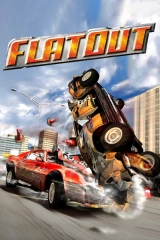
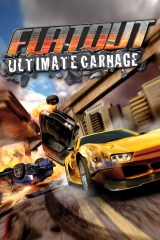
Selo's Car Pack is a mod for FlatOut 2 that adds dozens of brand-new original cars, as well as vehicles from FlatOut 1 and Ultimate Carnage. Along with them, the game receives new unique tracks and tracks from the first game. All of this is available in both single-player races and multiplayer.


Localizations:


Localizations:
Features of Selo's Car Pack:
All cars from FlatOut 1 and Ultimate Carnage have been ported to FlatOut 2.
New original cars — both real-life vehicles (such as the VAZ 2107, ’82 Civic, ’72 Chevelle, and others) and improved versions of older models, as well as entirely fictional cars.
All tracks from FlatOut 1 have been ported to FlatOut 2.
New original tracks — both completely new and reworked versions of existing ones: Timberlands 4, Pinegrove 4, Midwest Ranch 4, Water Canal 4, Desert Scrap Yard 2, City Central 4-5, Motor Raceway 4-5, as well as some reverse versions of older tracks.
New skins for all cars.
Standalone multiplayer — you can only play with others who have this mod installed.
How to install a mod Selo's Car Pack
Make sure you have game version 1.2 installed, as this is the only version compatible with this mod. (exe file size 2,990,080 bytes)
Extract the archive and move all files except the folders "how to uninstall" and "if your game is crashing" to the game root directory.
If you want to install the patch, delete the file FlatOut2_selo_[mod version]_gcp.dll from the game root directory and move the contents of the archive there.
Play!
Important! If you want to install the ZPatch FO2 mod together with this mod, the winmm.dll file supplied with ZPatch is not compatible with this dll. When installing ZPatch, do not copy the winmm.dll file from the ZPatch zip archive.
To uninstall the mod, delete these files:
selo_[mod version].bfs
FlatOut2.exe
FlatOut2_selo_[mod version]_gcp.dll
winmm.dll
xnya_modloader.toml
Note that the "patch" file does not need to be deleted. To restore the patch to its original state, open the patch file (not patch1.bfs, but just "patch") in Notepad and delete the line with the mod archive (in this case, selo_[mod version].bfs), then press Backspace again so that the cursor is on the same line as patch1.bfs; otherwise, the game will show the error "could not query file size for BFS archive:". If you do not know how to edit the patch file, a ready-made file is available in the "how to uninstall" folder.